Frame rate
60 fps
Android · Free · No account
Four numbers, live, while you play. Then close whatever is eating them. No guessing and no invented statistics.
Free on Google Play · Works offline · No sign-up
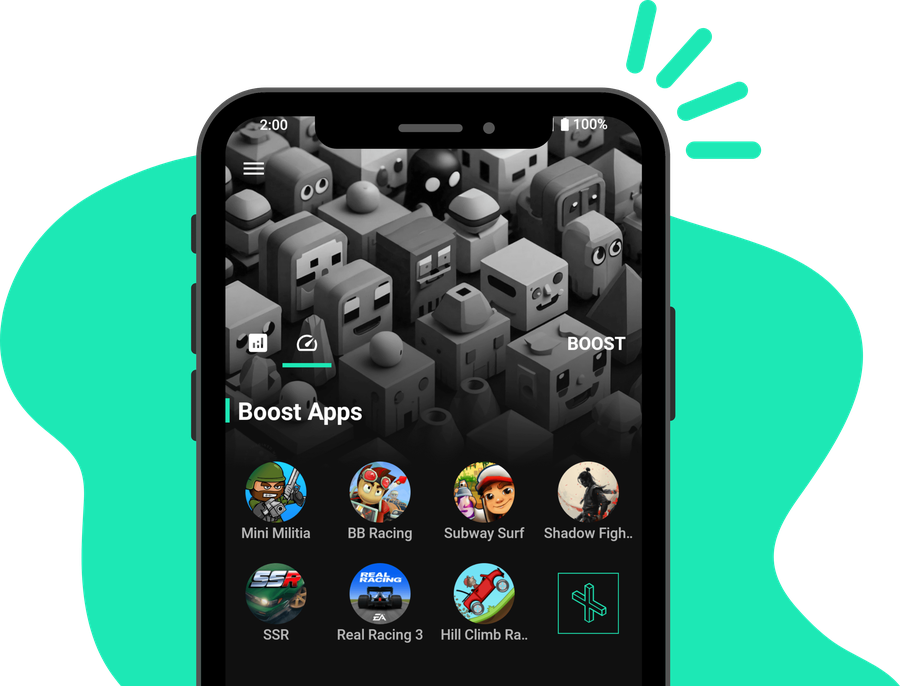
A sample of what the app shows while you play
Android does not let any app conjure performance. It permits three things: ending background processes, changing where DNS lookups go, and reading sensors your phone already exposes. That is the entire toolkit.
Closes background apps so your game gets the memory they were holding. On phones with 4 GB or less, this is where you feel it.
Sends DNS lookups to a faster resolver, shortening the delay before a match connects.
Shows heat for what it is. Lag twenty minutes in is usually the chip throttling, and no cleaner app fixes that.
Add RAM or raise clock speed. Nothing installable can. Your hardware is your hardware.
Fix a bad connection. DNS is only the lookup. If your route drops packets, that is your network.
Free hundreds of megabytes on a new phone. Android already manages memory well, so the honest figure is often small.
One tap ends the processes sitting behind your game and hands that memory back.
On a recent flagship this often changes very little, and the readout says so rather than inventing a number.
A local tunnel sends only your DNS lookups to Google or Cloudflare.
It is not a VPN. Game traffic is not routed anywhere, nothing is hidden, and no browsing data is collected.
Frame rate falling while the CPU climbs past 50 °C is thermal throttling, not software.
Knowing that saves installing four more cleaner apps that were never going to help.
Every boosting feature is in the free version. Pro removes the ads, once, with no subscription.
Or refer three friends and Pro unlocks permanently, with no payment.
Partly, and it depends on your phone. On a device with 4 GB of RAM or less, closing background apps frees memory your game can use and the difference is noticeable. On a recent phone with 8 GB or more, Android already manages memory well and the gain is usually small. No booster can add hardware, raise clock speeds, or stop thermal throttling. Any app promising a guaranteed speed increase is showing you an animation rather than a measurement.
Download speed and game latency are different things. Lag while your connection tests fine usually comes from one of three places: background apps competing for memory and CPU, thermal throttling after a long session, or packet loss and jitter on your route rather than raw bandwidth. Watching frame rate and CPU temperature during a match tells you which. If frames drop while temperature climbs past 50 degrees Celsius, it is heat. If frames hold steady but your actions feel delayed, it is the network.
Android routes DNS through the VPN interface, so that permission is the only way an app can change DNS without root access. GameZapper is not a real VPN. Your game traffic is not routed through any server, nothing is encrypted or hidden beyond the DNS lookup itself, and no browsing data is collected or sent anywhere. The tunnel stays entirely on your device.
Usually less than other apps claim. Modern Android limits how much one app is allowed to kill, so the honest figure is often between zero and a few hundred megabytes depending on what was running. GameZapper shows the real number, including zero. If a booster reports freeing 500 MB every single time, that number is decorative.
The free version includes every boosting feature and is supported by ads. Pro is a one-time purchase that removes them. You can also unlock Pro without paying by referring friends: one friend gives you seven days ad free, and three friends unlock it permanently.
GameZapper’s monitoring panel reads sensors your phone already updates, so its own cost is small. The DNS tunnel keeps a lightweight local service running while it is switched on, and you can turn it off when you are not playing. Closing background apps generally helps battery life rather than hurting it, because those apps stop consuming CPU.
Written to answer the question, not to sell the app.
How to judge one, the claims that are always false, and how to tell whether you need one at all.
Which graphics options actually cost you frames, which are free, and what to change first on a weak phone.
Mostly no, and it can make load times worse. What cache actually is and the one case where clearing it helps.
Animation scale, forced GPU rendering, background process limits. Which of these do anything measurable.
Free on Android. No account, no sign-up, works offline.